Blog

  • Issues and comments

    A seemingly small but hard-won insight:

    When adding news issues to be tracked, it is important ot enable the comments (read/write). Otherwise  the issue update form remains inacessible and it is impossible to change the status of issues, i.e from ‘active’ to ‘fixed’.

  • Update crop varieties released

    http://www.icarda.org/Crops_Varieties.htm

    Waiting for Dr Van Ginkel and /or Dr Baum to approve final list.

    Report to Liz Bailey when updated.

  • Site migration: How to

    1. Create a new database on the server
    2. Take note of username and password
    3. Export local DB to .sql file
    4. Import .sgl file into new DB
    5. Create .zip file of everything in drupal
    6. Unzip to root folder on the server
    7. Edit setting.php like this:

    Look for the DB string in settings.php, it will be in colour. All the other text is greyed out. It will look something like this:

    $db_url = ‘mysql://username:password@localhost/databasename’;

    Replace username and password
    Depending on your server it could also be

    $db_url = ‘mysqli: …
     

    There is also the Backup and Migrate module doing it smartly.

  • Conceptual Data Model

    Conceptual Data Model

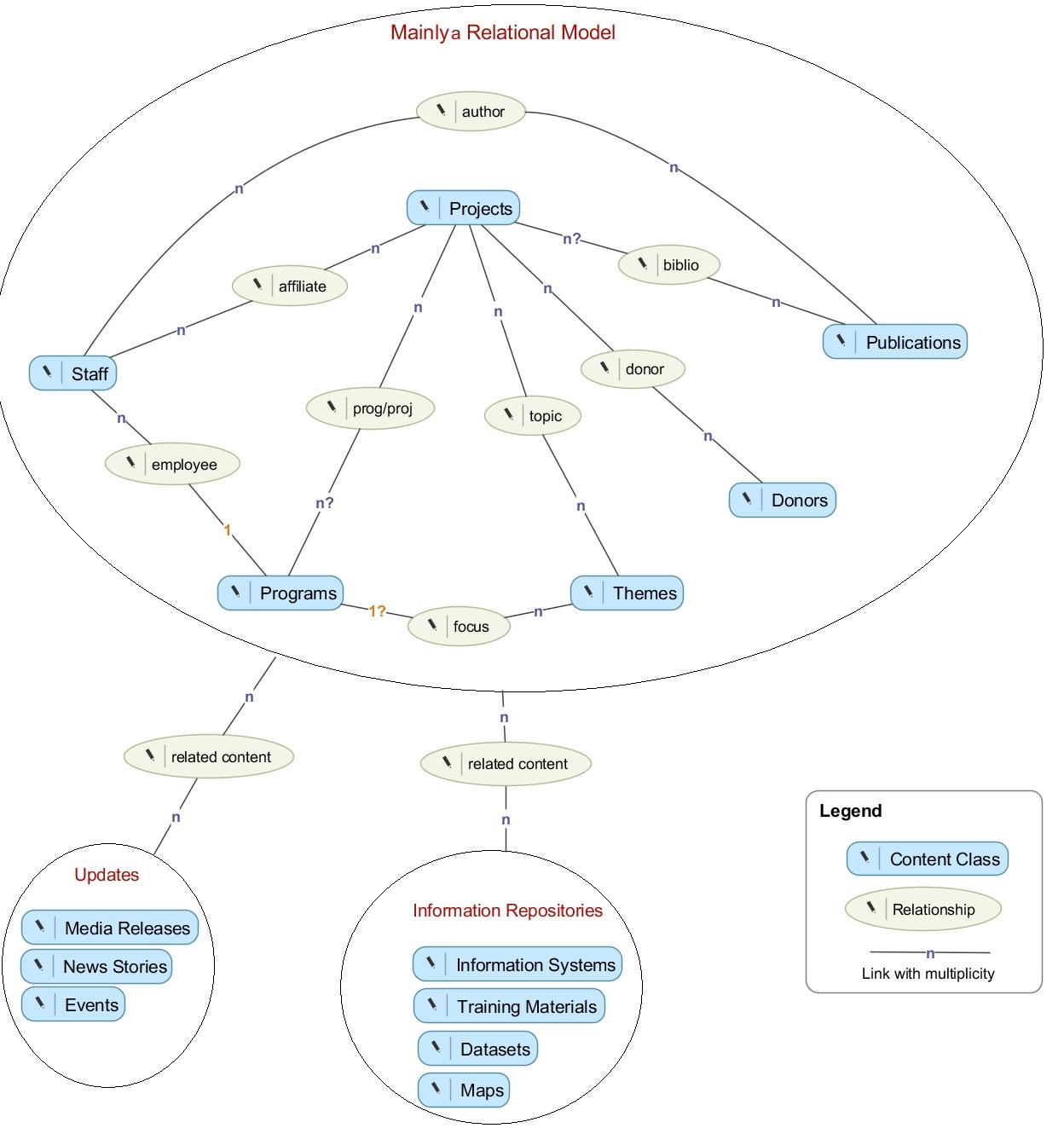
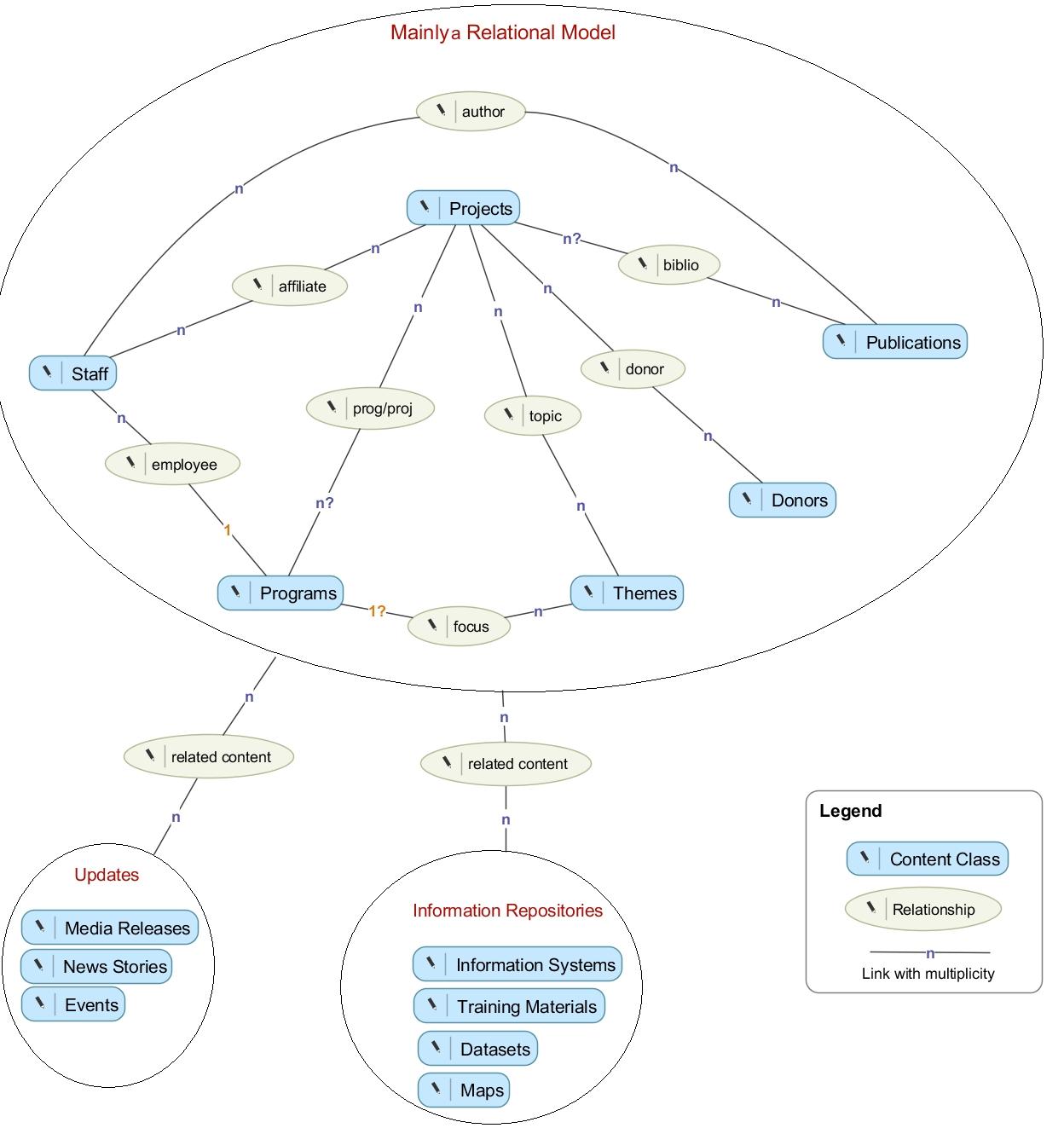
    We sketched a conceptual data model as a preliminary step to move into implementation (according to this article, this model is conceptual). Highlighted are content classes, their relationships, and corresponding sources. In later models (logical models, including relational models) we can address data fields in detail.

    Entities in the diagram represent content types (sky-blue rectangles), relationships (light beige ovals), and links along with their multiplicity.

    The diagram is divided into three blocks:

    • The big main block circumscribes content types that fit fairly well into a relational model. Content types in this block have clear (and probably fixed) relationships with eachother. In Drupal, this relational nature makes it plausible to hard-code these relationships as node reference fields in the conrresponding content types.
    • The other two blocks encircle content types holding data items that could be related to any piece of content. This fuzzy association invites us to go about implementing this using Drupal taxonomies or free node reference fields.
  • Avatar Grid

    I have made an attempt to create a block view to display a grid of avatarts pulled from our user profiles. This was done by creating a view of the type ‘User’ and using the ‘Style: Grid’ for displaying the ‘User: Picture’ field.

    Since the ImageCache is activated, I was hoping to be able to be able to manipulate the pics in the ‘User: Picture’ field. However, it appears that we need to install ImageCahe Profiles or do some PHP coding in order to extend the power of ImageCache over picture entries.